Claude Design Website: 6 Steps to Put It Live on Your Own Domain
Claude Design makes a good-looking website in an afternoon. What it doesn't do is host it on yourcompany.com, receive the messages from its contact form or let a colleague change a price next month. This guide shows every step from the finished design to a live site on your own domain, with screenshots of each screen in ShiftPress.
If you'd rather host the files yourself on Cloudflare Pages, Netlify or GitHub Pages, our guide on how to publish a website made with Claude covers that route.
What you need
- A finished project in Claude Design. One page or several (up to 30 pages per ZIP).
- A free ShiftPress account. You create it during step 2.
- For the last step only: a domain you own, and a paid plan (Start or above). Without one, the site stays online on its free ShiftPress address.
Step 1: Check the design, then export the ZIP
Before you export, look at two things in Claude Design, because they are easier to fix there than later:
- The phone view. Designs are often made on a desktop canvas. Ask Claude to make every page work on a phone if it doesn't yet.
- The links between pages. Click through the menu once. Pages that link to each other by
file name (
about.html) keep working after the upload.
Then open Export in Claude Design and download the project as a ZIP. A standalone HTML file works too, for a one-page site. Don't unpack the ZIP: you upload it as it is.
Step 2: Create a free account and choose “Upload a design”
Sign up with your email. A short welcome asks for your name and offers to copy an existing website: you can skip that with I'll do this later. On your dashboard, click Add your first project. Under Or start another way, pick Upload a design.
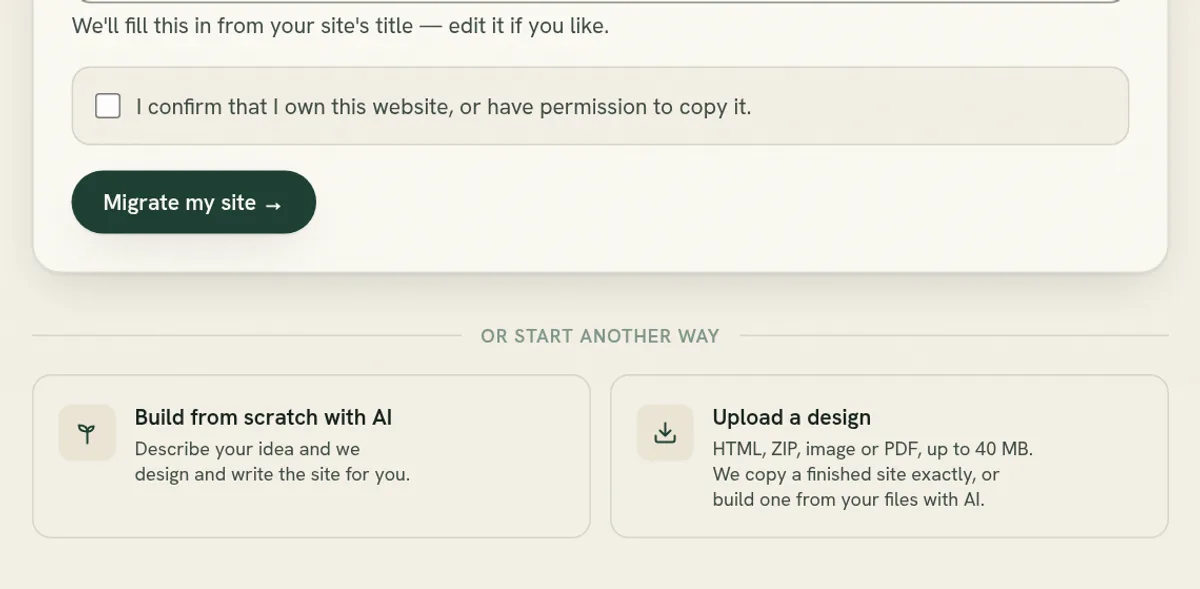
Pasted a claude.ai link into the address field instead? ShiftPress can't copy a page from a Claude link, so it sends you to the same upload screen, with a note on how to download the file.
Step 3: Drop the ZIP
Drag the ZIP onto the upload area, or click it to choose the file. You can add up to 20 files and 40 MB in one go. Nothing is uploaded yet: ShiftPress first reads the files in your browser and shows what it found.
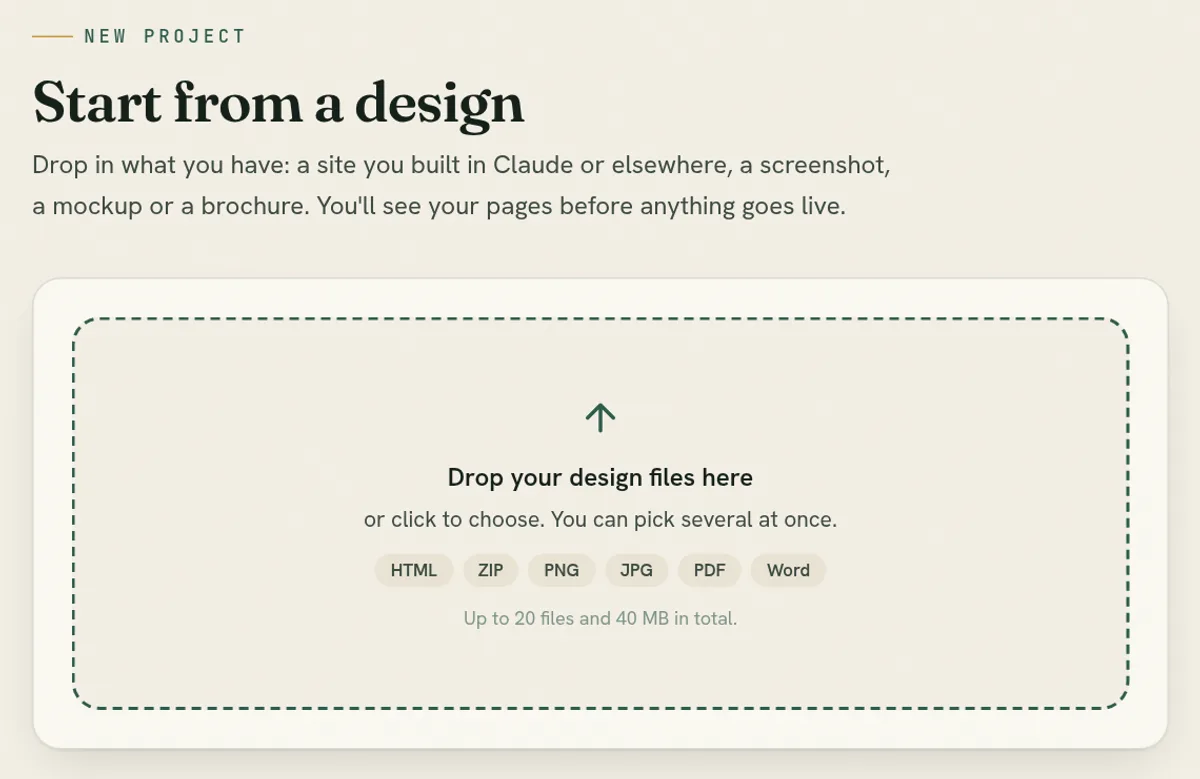
Step 4: Pick the pages and the front page
ShiftPress lists every page in the ZIP. It says We'll copy this site exactly: the pages come
across as designed, and no AI change is used. Untick any page you don't want, and choose which
one is the Front page (your home page, usually index).
Each page also shows Works on mobile or Desktop only. A desktop-only page will look right on a computer but not on a phone. You can import it anyway and ask the AI to adapt it once the site is open, or go back to Claude Design first.
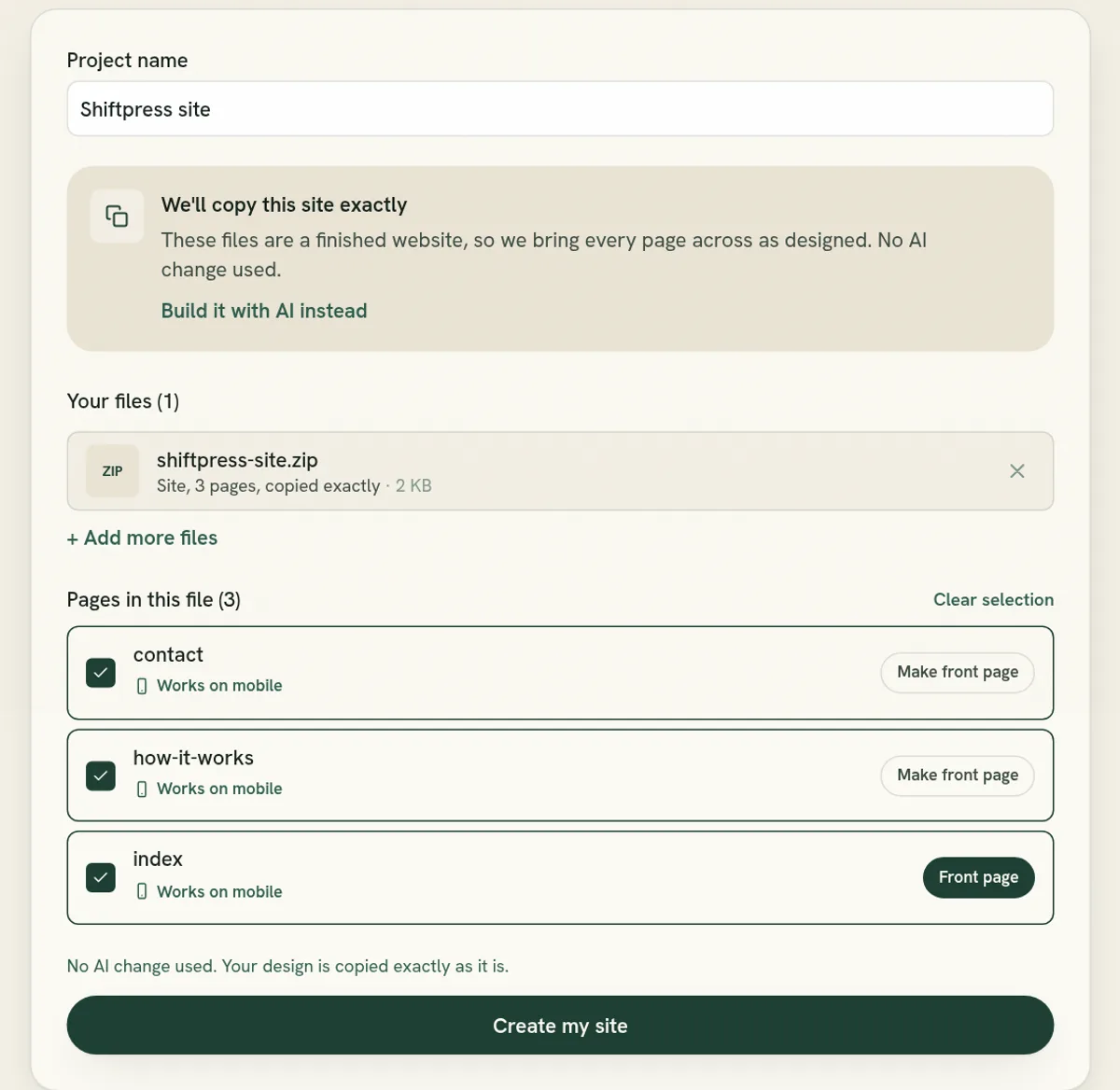
Give the project a name and click Create my site.
Step 5: Wait for the email
ShiftPress now builds the site: each page becomes a real page with its own address, the images and styles in place. Where it can recognise the header and footer, it marks them as shared, so a later change to the menu reaches every page. Then our team reviews it on phone and desktop: links, images, pages, text and your forms. We fix what's off.
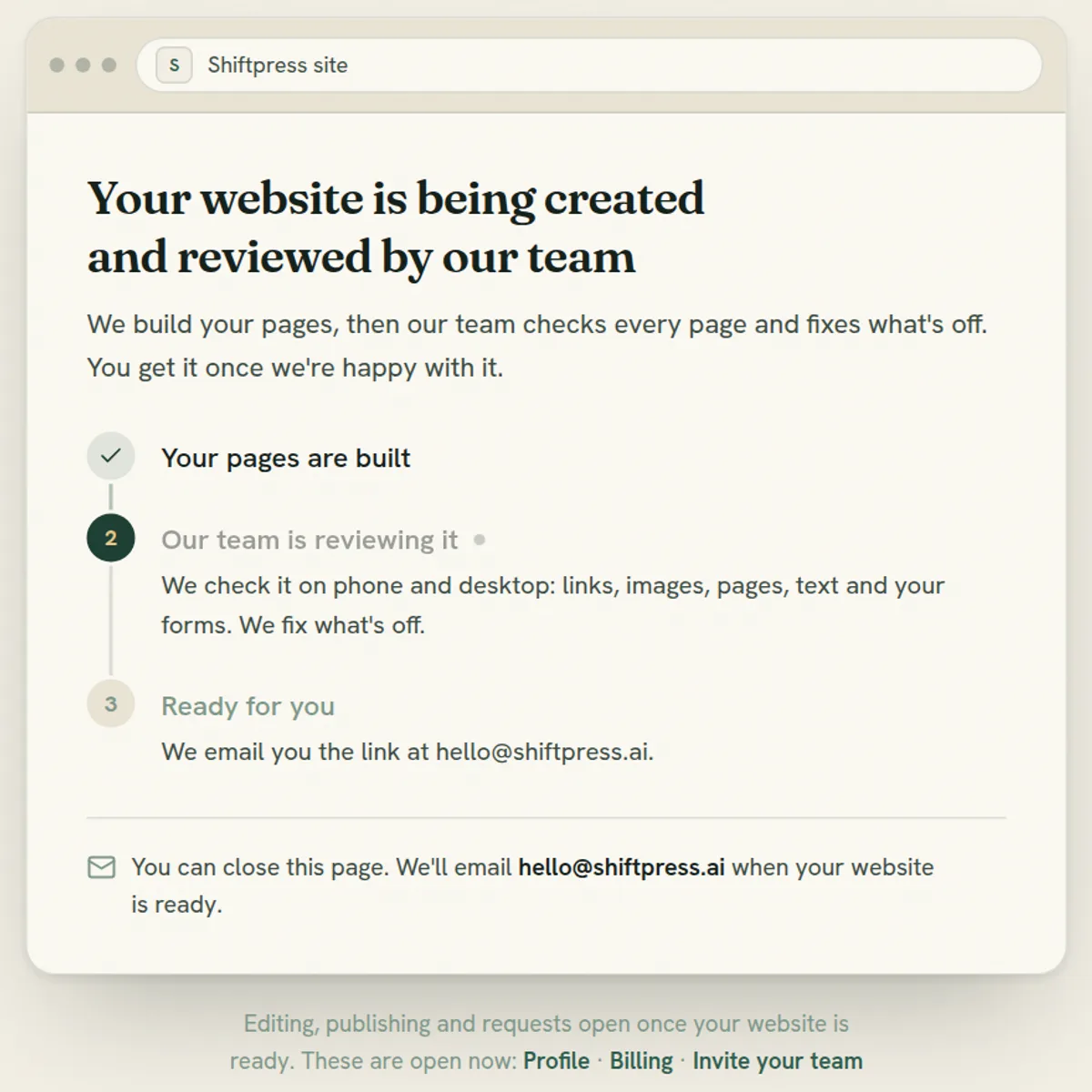
You can close the page. We email you when your website is ready, with a link to open it.
Step 6: Connect your own domain
Your site runs on its ShiftPress address from the start, and that address keeps working after you connect a domain. To put the site on your own domain, open Get set up in the site's menu and click Connect domain. In the Domain section, click Connect your domain, type the domain and click Connect domain. ShiftPress prepares everything on its side, including the HTTPS certificate, and shows you the DNS records to add.
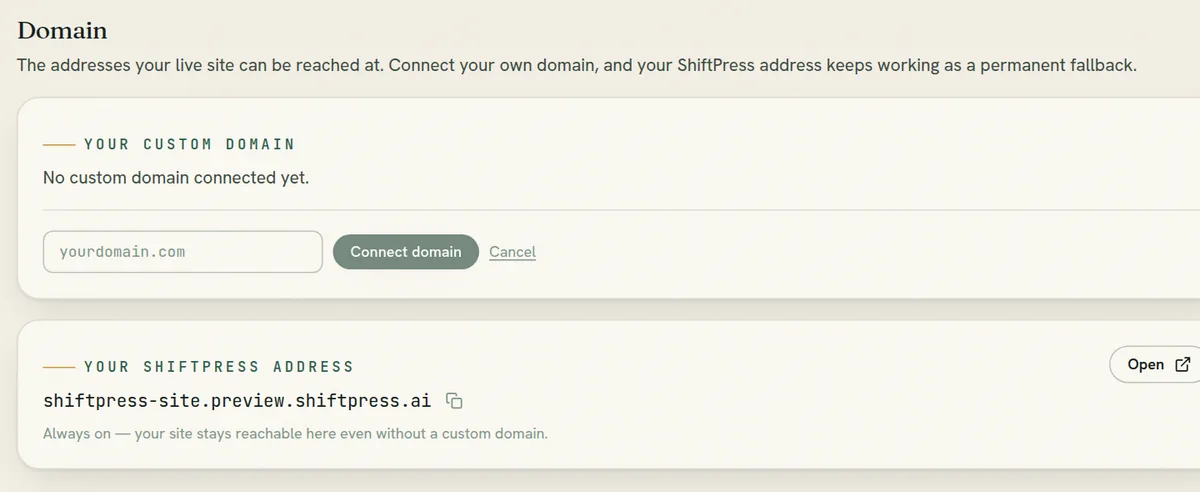
Log in where you bought the domain (IONOS, GoDaddy, Strato, Cloudflare or your old web host) and add the records exactly as shown: Name, Type and Value. The screen checks them for you and moves on by itself. Once the records are in place, the certificate is issued and the site answers on your domain. If your domain is on Cloudflare, set the record to “DNS only” (grey cloud), not “Proxied”.
If the domain still shows an older website, it stays online until you switch the records, so there is no gap. If you use email on that domain, don't touch its MX records: they are separate from the website.
After it's live: keep developing your site, with search and AI built in
Putting the design into ShiftPress means you keep building the site the way you started: by telling an AI what you want. You describe the change in the chat: “change the opening hours on the contact page”, “add a page for our new service”. You see a preview before anything goes live. You can also edit text directly on the page. You don't go back to Claude Design, export and upload again for every new phone number. And the site comes with what a design file doesn't have:
- Search and AI visibility. ShiftPress publishes a sitemap and an llms.txt for your site and keeps both current, adds a canonical address to every page in one click, and pings search engines through IndexNow when you publish. The Get found feature page shows all of it, and GEO on autopilot explains what each part does for AI answers.
- Site structure. The Internal links tool reads your whole site, finds pages that nothing links to and suggests links with natural anchor text. You preview every suggestion before it goes in.
- Cookie banner and legal basics. A cookie banner holds back the analytics ShiftPress adds until a visitor agrees, and the Legal basics check flags a missing imprint or privacy page and what loads before consent, such as Google Fonts. It is a check, not legal advice.
Want the bigger picture? Is your website ready for AI agents? covers what makes a site readable for them, and why ShiftPress is a strong platform for SEO and GEO compares the options.
The free plan includes 3 AI changes a month. If you know who will make changes later, our guide on a CMS for a website built with Claude compares the options, and where to host a website built with Claude compares the hosts if you'd rather run it yourself.
Got your Claude Design ZIP?
Upload it and every page becomes a real page you can edit. Free to start, no credit card, and the upload doesn't use an AI change. Your own domain comes with a paid plan.
Upload my Claude Design ZIP ↗Frequently asked questions
Can Claude Design put a website on my own domain?
Do I need to know how to code?
Can I change the site after the import?
What does it cost?
Do the fonts and the phone layout carry over?
How many pages can one ZIP have?
More on building with Claude: the best Claude skills for web design, which Claude model designs the best websites and building a website with Claude Code.