Go live on your own domain
Before you start
- Your site is published. If it isn't, connecting stops with “Publish your site first — then connect your domain.”
- You can log in where you bought your domain (your provider, for example Strato or dogado) and open its DNS settings.
- You are the site's owner. Only the owner can connect, change or remove the domain.
Step by step
Open Domain
In your dashboard, open Website → Domain. Under Your custom domain it says “No custom domain connected yet.”
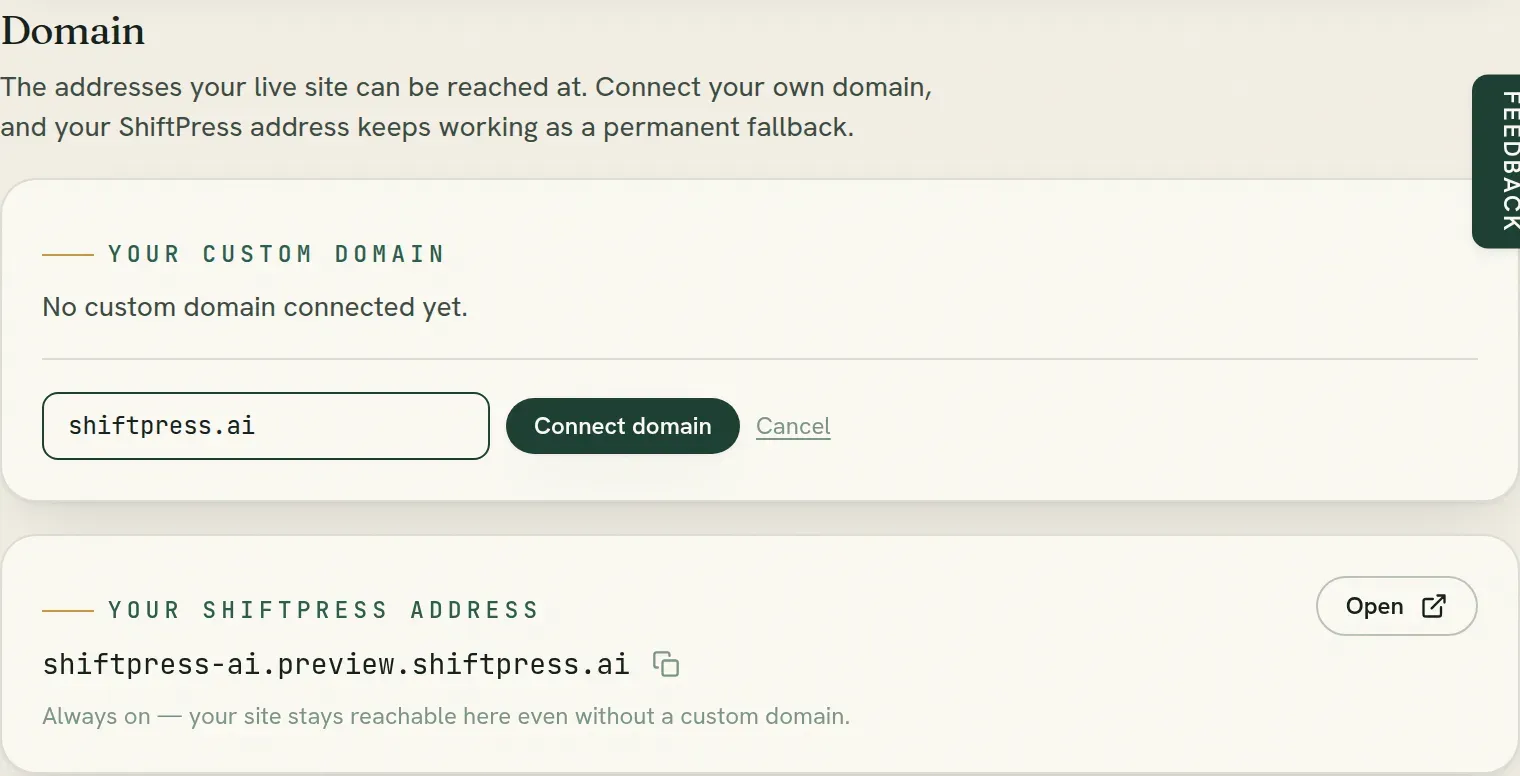
The Domain tool on the shiftpress.ai demo site. Connect your domain
Click Connect your domain, type it (
yourdomain.com) and click Connect domain. We set up the HTTPS certificate on our side. If you typewww.yourdomain.com, we connectyourdomain.comand itswwwtogether.Add the records at your provider
The Domain tool now lists the records for your site, each with a copy button. At your provider, add each one with its Name, Type and Value copied exactly. If we can tell who your provider is, the tool shows a button that opens its DNS settings.
Name Type Value @CNAME / ALIAS shown in your Domain tool wwwCNAME shown in your Domain tool _acme-challengeCNAME shown in your Domain tool _acme-challenge.wwwCNAME shown in your Domain tool @means the domain itself. Some providers call it the root. The two_acme-challengerecords are for the HTTPS certificate. For a subdomain such asblog.yourdomain.comyou get one record forblogand one_acme-challenge.blog, and nowww.Check the status
The tool checks your records by itself while the page is open, and Refresh status checks at once. The status moves from Waiting for DNS to Verifying… to Connected. A new record usually reaches everyone in 15 minutes to 2 hours, and your old site stays up until it does.
Pick your preferred domain (optional)
Your site answers with and without
www. In SEO & Favicon, under Preferred domain, pick the one you want search engines to show and click Save and apply. Automatic leaves the choice to us.
If your provider won't take these records
- No CNAME on the root: some providers don't allow a CNAME or ALIAS on
@. Keepwwwas your main record and redirect the root towwwat your provider. Step by step for Strato and dogado. - No CNAME on the
_acme-challengenames: open My provider won't accept a CNAME on these names under the records and add the TXT records it shows instead. A TXT value changes each time the certificate renews, so you will have to update it then. The CNAME needs no updates, so use it when you can.
Your email keeps working
Nothing else on your domain changes. You only add these new records. Don't remove or edit your existing ones, especially the MX or “mail” rows, and don't switch nameservers. More in how to change DNS without breaking email.
When it doesn't work
A certificate record says Wrong value
An _acme-challenge record exists, but its value doesn't match. Replace it with exactly the value shown. If an old TXT record sits on that name, delete it first.
Your domain is on Cloudflare
Set the two _acme-challenge records to “DNS only” (grey cloud), not “Proxied”. The tool reminds you when it sees your DNS is on Cloudflare.
“This domain is already connected to another ShiftPress site.”
Remove it from the other site first (Remove in its Domain tool), or write to us.
Still Waiting for DNS after two hours
Check each record letter by letter against the Domain tool, then click Refresh status again.
Something's blocking this domain
Something on the domain stops it from connecting. Write to us and we'll look.